
Monitor time, capture screenshots, and boost productivity
Teambridg streamlines daily operations for deskless teams and keeps everyone connected, allowing you to concentrate on growing your business.


Employee monitoring
Employees have full control over their data, with the ability to view and delete anything they've submitted. There’s no keylogging or surveillance—just complete openness. Capturing screenshots is entirely optional.
Track effortlessly
Employees can easily manage their own tracking with a simple desktop app that lets them start and stop it as needed.

See it on the web
The recorded time, screenshots, and activity data are uploaded to the web, allowing both the employee and manager to view them.

Get insights
Monitor time and financial investments across all your tasks, projects, and clients.

What makes Teambridg a great choice for time tracking?
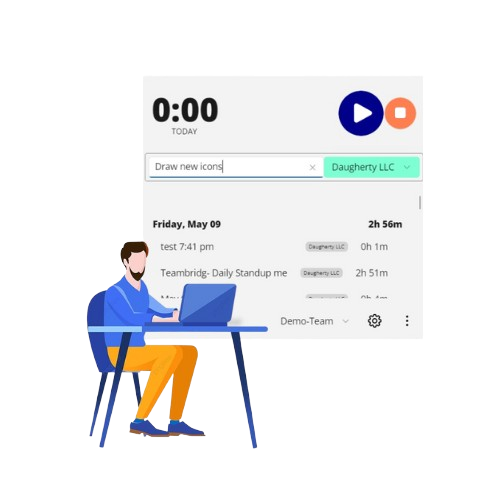
Employees log their working hours
Managers send invitations to team members to join Teambridg, where employees install a desktop app. After installation, they select the project they’re working on and press "Start" to track their time. The application monitors their activity and continuously sends live data to the web until they hit "Stop."
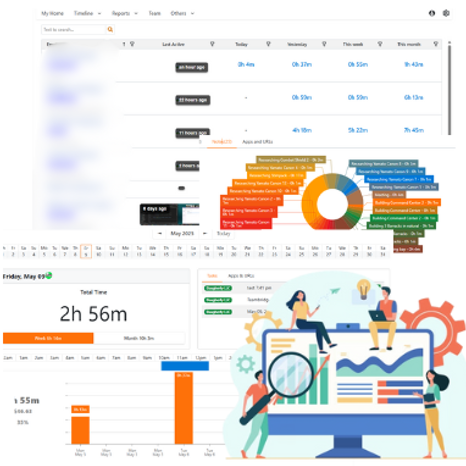
Managers can access this information online
On their Teambridg dashboards, both employees and managers can review details including the employee’s work hours, time spent on each task, randomly taken screen snapshots, activity levels, applications used, and websites visited along with the time spent on each.
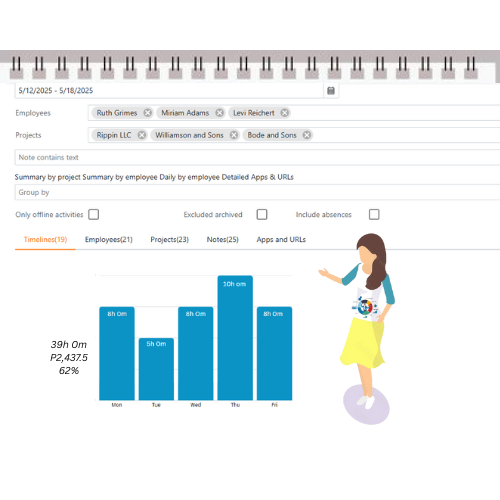
Quickly access the reports you need
Generate reports and charts for employees, clients, and projects. Export them as Excel files for deeper analysis or invoice creation. Effortlessly share with clients and schedule automated email alerts—all done in just a few clicks.
Offline Tracking
The app keeps recording time and taking screenshots while offline, then automatically syncs the data when the internet connection is back.

Effortlessly straightforward
Our sleek, polished, and fast interface delivers a smoother and more enjoyable experience than any other option out there.
Integrate using Web API
Connect your current software to Teambridg via the Web API to retrieve tracked time and notes.